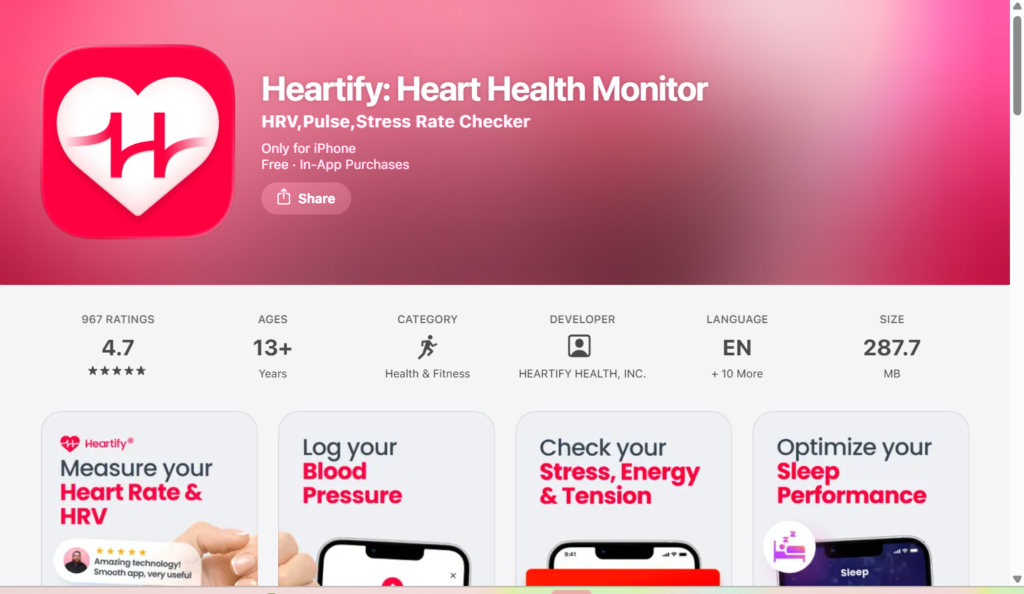
Turning Complex Heart Data Into Everyday Health Clarity
Project Overview
My Role
UX UI Designer
Client
Heartify
Year
2018
Domain
Health Care
Duration
6 months
Tools
Figma, illustrator, Maze
The Beginning
A few years ago, wearable devices started collecting an incredible amount of health data. Heart rate.
HRV.
Stress levels.
Recovery signals.
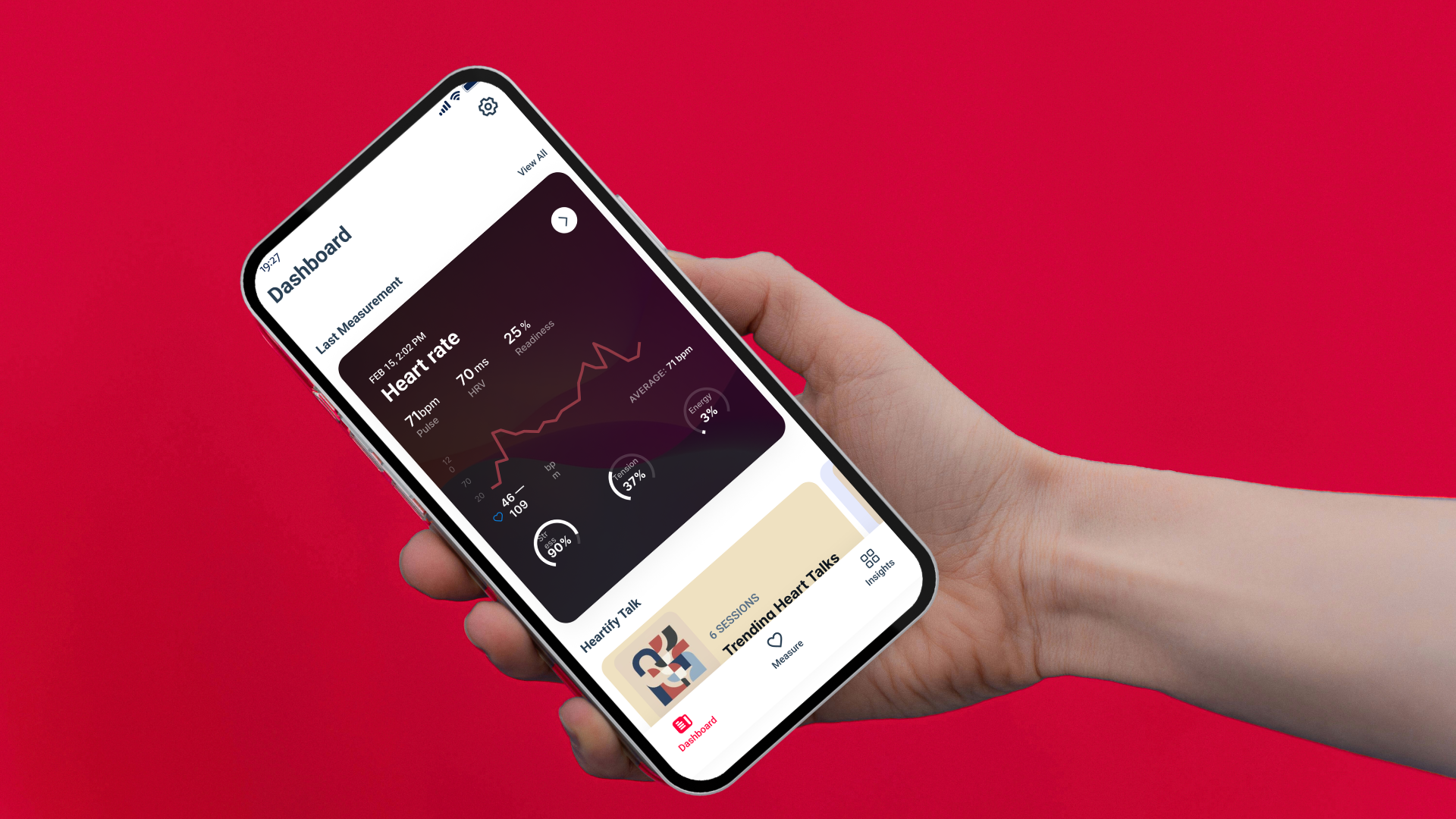
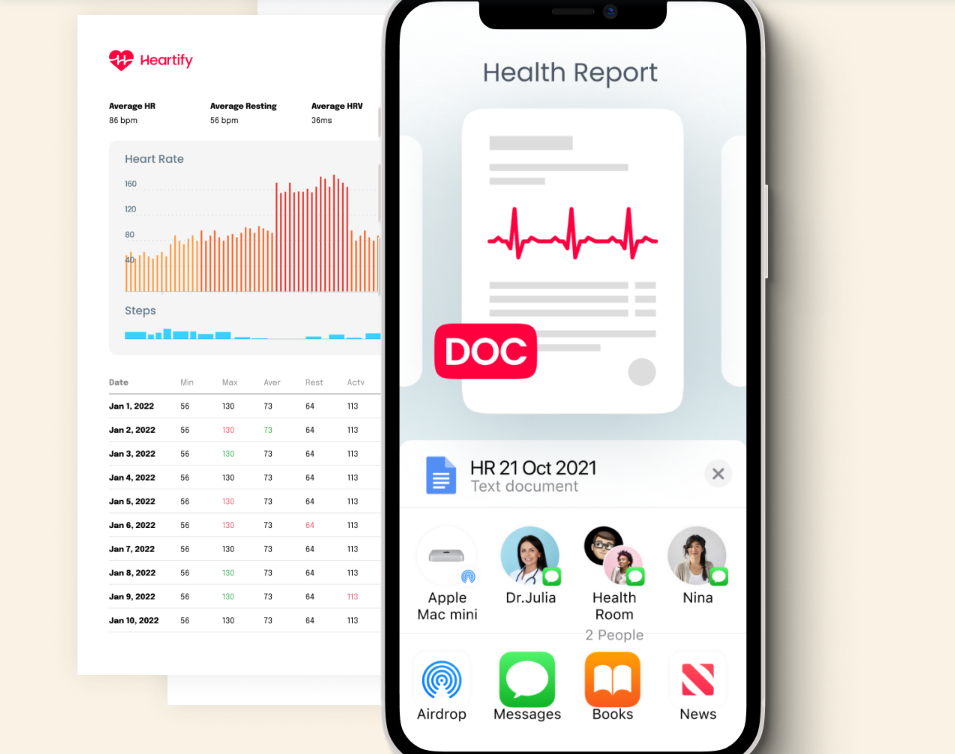
For the first time, people could see what their body was doing in real time. But there was a problem. Most users had no idea what the data actually meant. Numbers appeared on the screen:
HRV: 70 ms
Stress: 90%
Energy: 3%
And the user’s reaction was usually the same:
“Is this good or bad?”
Instead of helping people understand their health, many apps created confusion and anxiety. Where Heartify came in. The goal wasn’t simply to measure health signals. The goal was to help people understand their body and make better daily decisions.
The Challenges
Design a mobile experience that helps users:
understand complex heart metrics
check their health in seconds
build healthier habits over time without overwhelming them with medical complexity.
Understanding The Users
Before designing anything, I needed to understand who this product was for.
Through interviews with users who regularly track health data, three main user types emerged.
The Health-Conscious Professional
Age 30–50
Busy lifestyle
Wants to monitor stress and heart health
Pain point:
They check their metrics but don’t know how to interpret them.
The Wellness Enthusiast
Already using wearables.
They want deeper insights into HRV and recovery.
But even experienced users struggle to understand how different metrics connect.
The Overwhelmed User
People dealing with stress, anxiety, or burnout.
They want reassurance.
They want to know:
“Is my body okay today?”
The Research
To understand the real problems users face with heart-health apps, a mixed research approach was conducted combining quantitative data, qualitative interviews, and competitor analysis.
User Survey
A survey was conducted with 120 participants who regularly use health or fitness tracking apps.
Key findings:
72% of users said they do not fully understand HRV metrics.
68% reported that health apps show too much data without explanation.
61% check their health apps only once per week or less.
54% said they want simple daily feedback instead of multiple charts.
49% reported that confusing health data sometimes increases their anxiety.
These results highlighted a major gap between data collection and data understanding.
User Interviews
In-depth interviews were conducted with 12 participants aged 28–52 who use wearables or health apps.
Key insights:
9 out of 12 users could not clearly explain what HRV means.
8 users said they want the app to tell them what to do next, not just show numbers.
7 users said they open health apps mainly when something feels wrong.
10 users said they would engage more if the app offered daily guidance or small goals.
Competitive Analysis
Four leading health apps were analyzed:
Fitbit
Oura
Whoop
Calm
Observations:
4 out of 5 apps focus heavily on data dashboards.
Only 2 apps provide meaningful behavior recommendations.
Most apps assume users already understand biometric terminology.
This revealed a strong opportunity for Heartify to focus on interpretation and education rather than raw metrics.
Key Research Insight
From the research, three core insights emerged:
Users feel overwhelmed by biometric data.
Users prefer a simple health score rather than multiple metrics.
These insights directly influenced the product strategy and led to the design principle:
Measure → Understand → Improve
which became the foundation of the Heartify experience.
Users don’t want more health data. They want clear meaning. Instead of dashboards full of numbers, users need something much simpler:
A way to answer one question. “How is my body doing today?”
Defining the Product Direction
This insight shaped the entire product strategy.
The experience had to guide users through three simple steps.
Measure
Understand
Improve
Measure the body.
Understand what the signals mean.
Improve daily habits.
This structure became the foundation of Heartify’s product architecture.
Designing the Core Experience
To make the experience intuitive, the app was structured into three primary areas.
Dashboard
A daily snapshot of the user’s health.
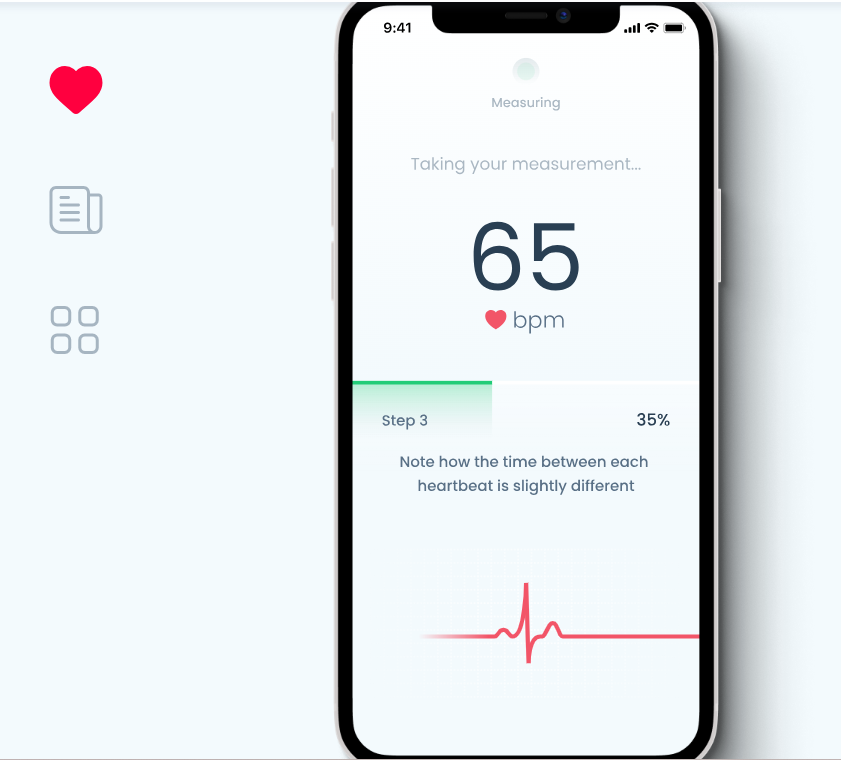
Measure
Where biometric data is collected.
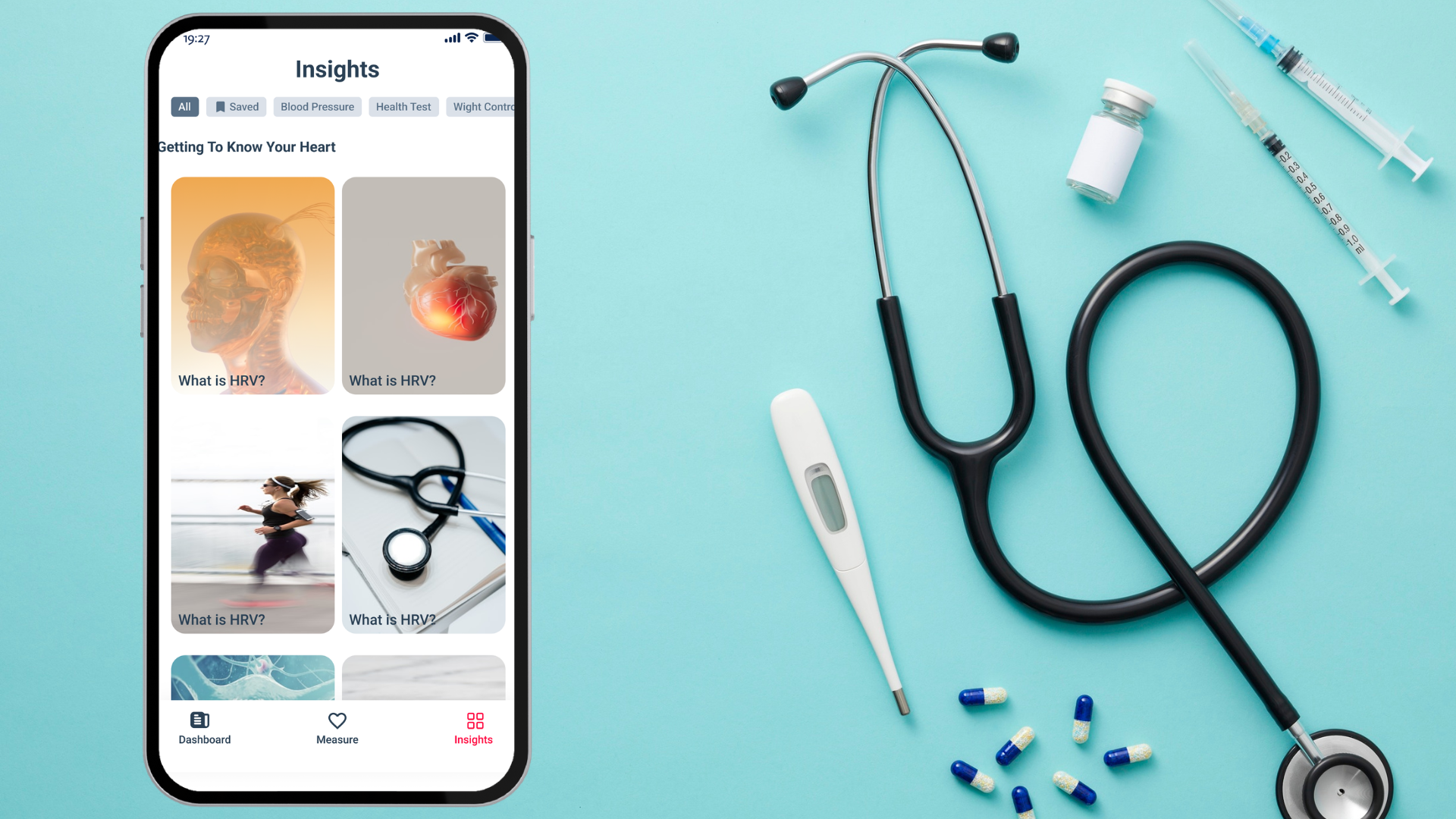
Insights
Educational content that explains what the data means.
This structure mirrors the natural way users think:
How am I today?
→ Dashboard
Let me measure my health
→ Measure
Why does this happen?
→ Insights
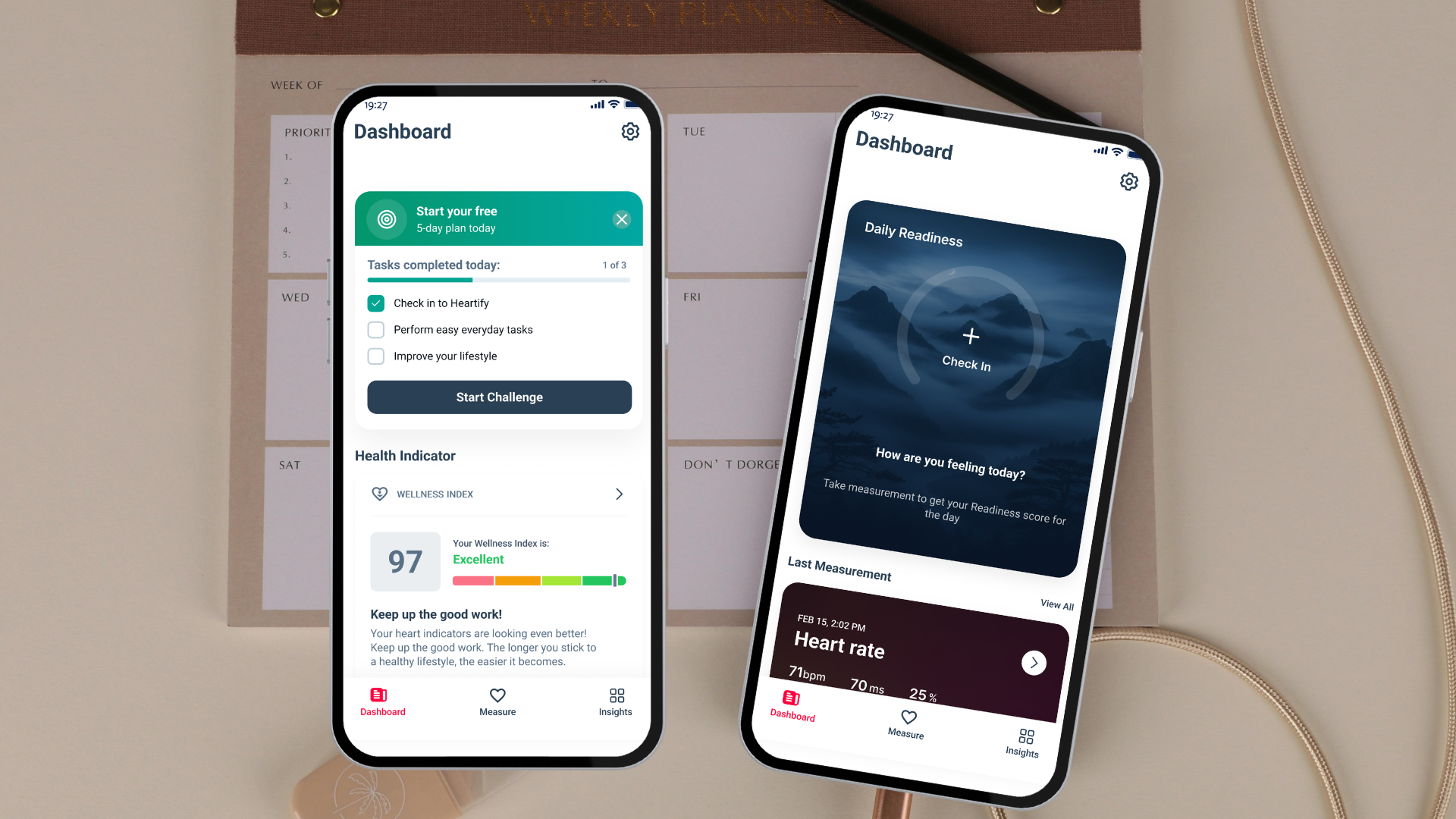
The Dashboard: The Most Important Screen
The dashboard became the heart of the product. When users open the app, they shouldn’t see complexity. They should see clarity.
The design focuses on three key signals:
stress
tension
energy
These signals translate physiological data into something users immediately understand. For example:
Stress 90%. Energy 3%
Without reading any documentation, the user instantly knows something isn’t right.
Simplifying Health Metrics
Raw biometric data is difficult to interpret. So instead of forcing users to understand every number, the app introduces a Wellness Index.
The Wellness Index combines multiple signals into a single score.
Example:
Wellness Index 97 — Excellent
This simple score helps users quickly understand their overall health state.
Turning Data Into Behavior
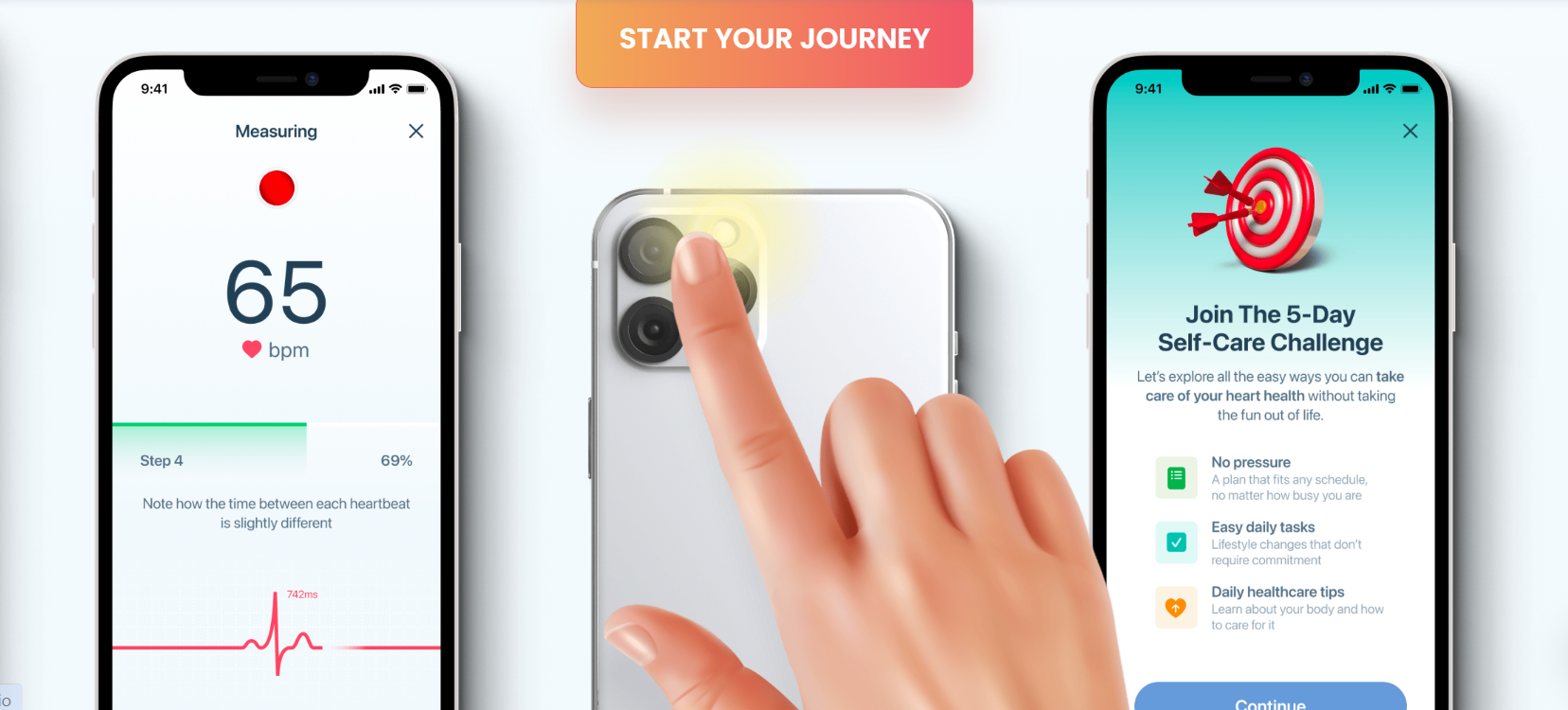
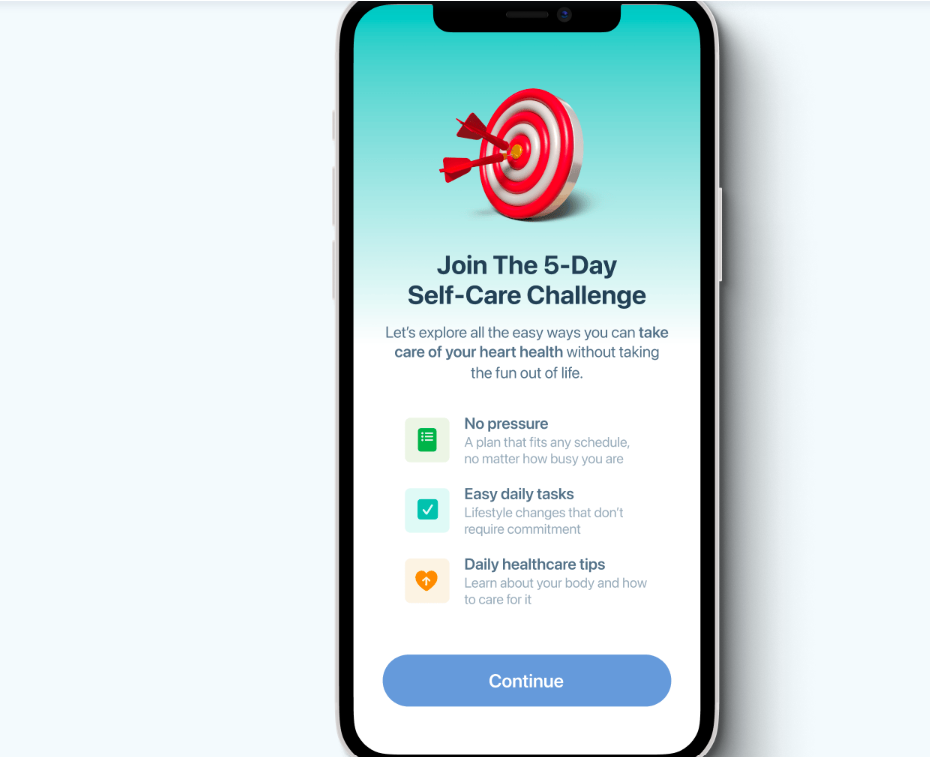
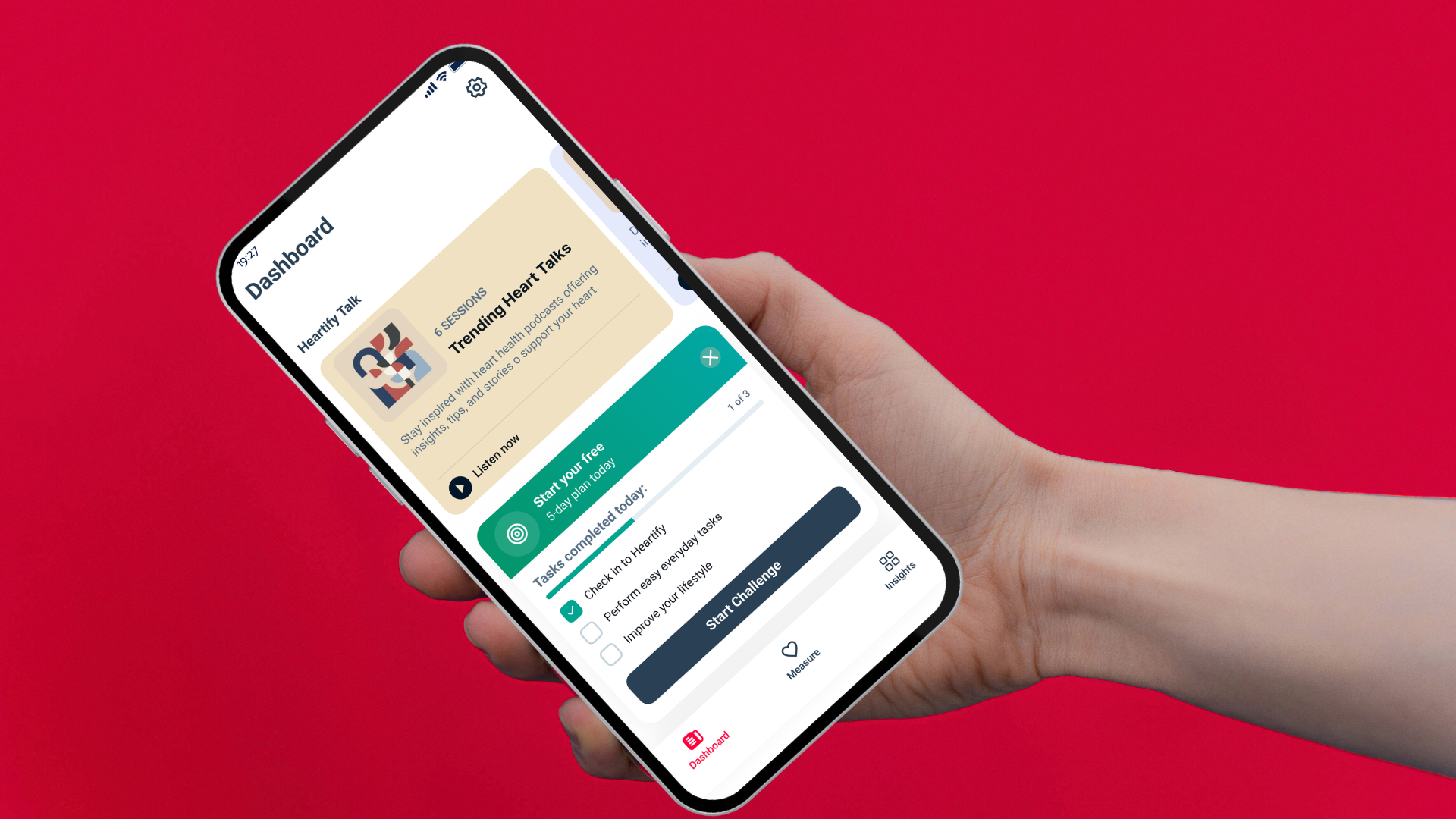
One of the biggest problems in health apps is motivation. Users often stop using them after a few days. To solve this, we introduced the 5-Day Self-Care Challenge. Instead of overwhelming users with complex programs, the app encourages small daily actions. Tasks include:
✔ Check in to Heartify
✔ Complete simple daily health tasks
✔ Improve lifestyle habits
Progress indicators create a sense of achievement and encourage users to continue.
Helping Users Learn
Another key insight was that many users simply don’t understand heart health concepts.
What is HRV?
How does sugar affect the heart?
Why does stress increase heart rate?
The Insights section was designed to answer these questions.
Instead of technical explanations, the content focuses on practical education that users can apply to their daily lives.
Designing for Trust
Health products require a strong sense of credibility. The visual design focuses on three qualities:
Calm
Soft backgrounds and balanced spacing reduce visual stress.
Clarity
Large typography and structured layouts make the interface easy to scan.
Trust
Minimalist design and consistent iconography reinforce reliability.
Making Health Data Visual
The redesigned experience helps users:
interpret heart health signals quickly
build daily awareness of their physical state
develop healthier habits through small actions
Instead of overwhelming users with data, the app guides them toward better decisions for their health.
The Resulting Experience
When a user opens Heartify, the experience feels simple.
They check their readiness.
They review their latest heart metrics.
They see trends in their stress and energy.
And most importantly, they understand what their body is telling them.
What This Design Achieves
The redesigned experience helps users:
interpret heart health signals quickly
build daily awareness of their physical state
develop healthier habits through small actions
Instead of overwhelming users with data, the app guides them toward better decisions for their health.
Lesson Learned
Designing for health is not about presenting more data.
It’s about translating complex physiological signals into human language.
Technology can measure the body.
But design is what makes that information meaningful.
Final Reflection
Heartify demonstrates how thoughtful UX design can transform biometric signals into a supportive daily health companion.
By combining behavioral psychology, clear data visualization, and educational insights, the product empowers users to better understand and care for their heart.